The Silent Killer of Construction Margins: Billing Errors
If you’re running multiple construction projects, you know the chaos of billing. Missed invoices, incorrect RA bills, scope creep — they add up fast. And the worst part? You often don’t realize how much money you’ve lost until it’s too late.
A 2023 McKinsey report found that contractors lose an average of 3–5% of annual revenue due to billing errors. For a ₹10 crore business, that’s ₹30–50 lakh gone. Not because of poor execution, but because your billing system couldn’t keep up. Imagine the long-term compounding impact of such losses — over a decade, you could be looking at ₹3–5 crore in wasted revenue!
So what’s the fix? It’s not another spreadsheet or hiring a new accountant. It’s about using an ERP designed for contractors. Let’s break it down with examples, actionable insights, and case studies.
Why Generic ERP Systems Fail Contractors
Most ERP systems are built for manufacturing or retail. They don’t account for the complexities of construction billing. Here’s why that’s a problem:
1. Multiple Billing Methods
Construction isn’t a one-size-fits-all business. You might use RA bills for one client, stage-wise billing for another, and monthly invoicing for a third. Generic ERPs can’t handle this level of customization.
Example: A contractor working on government infrastructure projects might need to submit RA bills based on progress certified by an engineer. On the other hand, a residential builder might rely on stage-wise billing tied to milestones like foundation, framing, and roofing completion. Generic ERPs often fail to accommodate these nuances, forcing contractors to resort to error-prone manual processes.
2. Scope-Based Billing
Let’s say you’ve completed 70% of a BOQ item. How do you bill for that partial progress? Most generic systems don’t offer measurement-based billing.
Actionable Tip: When evaluating ERP software, test whether the system allows partial billing based on measurable progress. If it doesn’t, it’s likely not suited for construction.
3. Disconnected Systems
If your billing, project management, and procurement tools don’t talk to each other, you’re stuck reconciling data manually. That’s where mistakes creep in.
Case Study: A mid-size contractor in Mumbai found that discrepancies between their billing system and procurement led to over ₹25 lakh in unbilled material costs annually. Switching to an integrated ERP solved the problem by syncing data in real time.
How JobNext Solves Revenue Leakage
JobNext’s ERP is purpose-built for contractors. One of its standout features is the ability to handle six different billing methods, including RA bills, stage-wise billing, and even supply BOQ billing. Here’s what makes it work:
Measurement-Based Progress Tracking
You can record work progress in measurement sheets, and the system automatically calculates what’s billable. No more guesswork or manual calculations.
Example: A contractor working on a ₹50 crore highway project used JobNext to track progress. By automating the measurement-based billing workflow, they eliminated ₹15 lakh worth of errors and improved cash flow.
Integrated Workflows
Every bill pulls data directly from your approved BOQ, scope, and progress measurements. This eliminates errors caused by disconnected systems.
Actionable Tip: Ensure your ERP integrates seamlessly with your procurement and project management systems to avoid duplication and errors.
Approval Chains
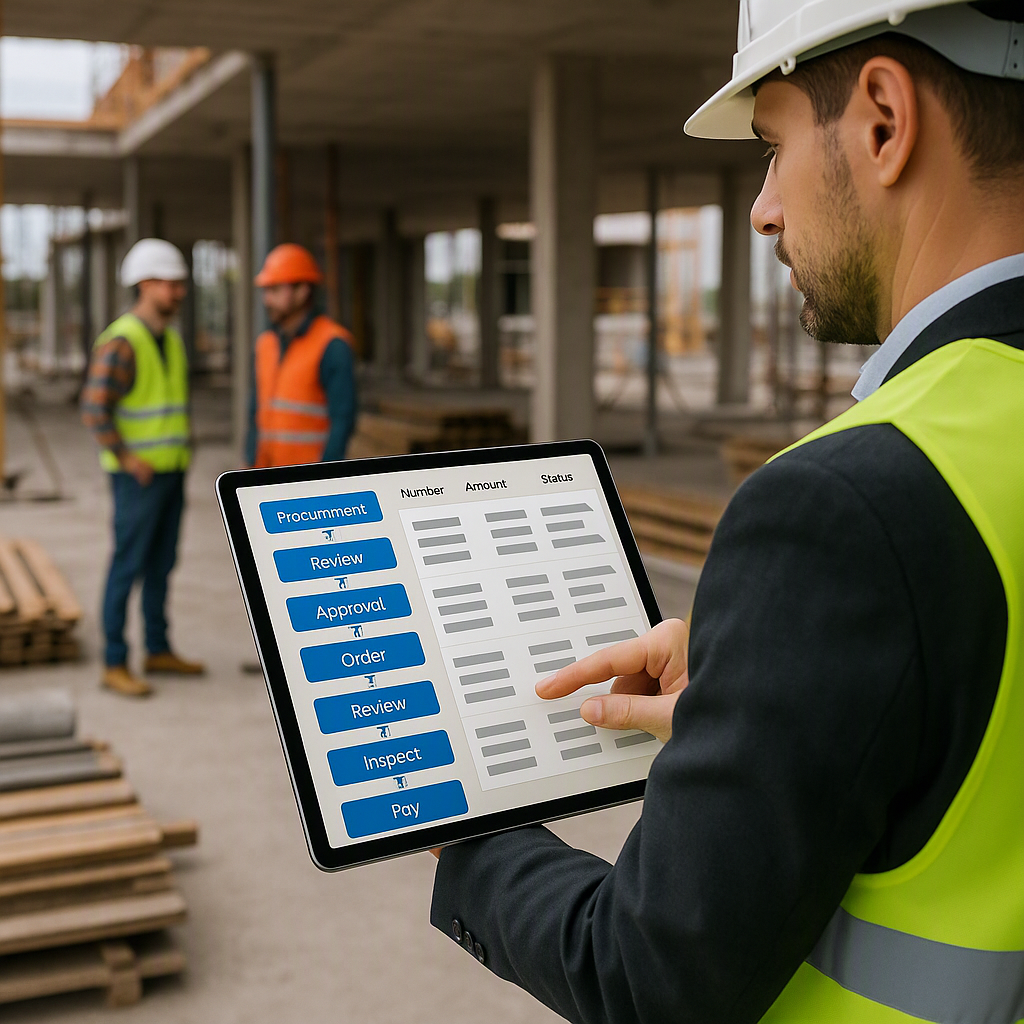
Multi-level approval workflows ensure that no bill goes out without thorough checks.
Example: An HVAC contractor in Bangalore reduced disputes with clients by implementing approval chains in JobNext. This ensured that every invoice was backed by proper documentation, reducing unnecessary back-and-forth.
Real-World Impact: ₹1.2 Crore Saved
In one case, a mid-size HVAC contractor in Dubai switched to JobNext after losing ₹1.2 crore annually to billing errors. They cited RA billing as their biggest pain point. Within six months, they recovered nearly half of that loss by automating their billing workflows.
Data Point: Contractors that adopt specialized ERPs like JobNext typically recover 40–60% of lost revenue within the first year.
What to Look for in a Construction ERP
If you’re evaluating ERP options, here’s what you need to prioritize:
1. Specialized Billing Features
Ensure the system supports all your billing methods — RA, stage-wise, supply BOQ, etc.
2. Real-Time Data Sync
Your billing module should integrate seamlessly with project management and procurement.
3. Audit Trails
Look for systems that maintain a log of all billing changes for compliance and transparency.
Actionable Tip: Ask your ERP vendor for a demo of their audit trail feature. If they can’t show it, move on.
4. Ease of Use
If your team can’t figure out how to use the system, you’re back to square one.
Comparison Table:
| Feature | Generic ERP Systems | Construction-Specific ERP |
|---|---|---|
| Multiple Billing Methods | Limited | Comprehensive |
| Scope-Based Billing | Rare | Standard |
| Real-Time Data Sync | Limited | Fully Integrated |
| Audit Trails | Basic | Advanced |
| Ease of Use | Moderate | Tailored for Contractors |
FAQ
Q: How do I know if my ERP supports RA billing?
A: Check the billing module documentation or ask your vendor directly. If they can’t provide clear answers, that’s a red flag.
Q: Can I integrate my existing systems with JobNext?
A: Yes, JobNext supports integrations with tools like Tally for Indian statutory reporting and other third-party software.
Q: What’s the ROI of switching to a specialized ERP?
A: Contractors typically see a 3–5% increase in margins within the first year of implementing a construction-specific ERP.
Q: What happens if my team struggles to adapt to the new ERP?
A: A good ERP provider will offer onboarding support and training. JobNext, for instance, provides live training sessions and tutorials tailored to your business.
Q: Can I use JobNext for small projects or only large-scale ones?
A: JobNext is scalable and works for small, medium, and large projects. It’s designed to adapt to your specific needs, no matter the project size.
The Bottom Line
Billing errors aren’t just an inconvenience; they’re a profit killer. The right ERP can turn this around by giving you control, accuracy, and real-time visibility into your project finances. But not just any ERP will do. You need one built for the complexities of construction.
If you’re ready to stop losing money to billing chaos, JobNext can help. Get started free →
Learn more at JobNext.ai