Why Small Contractors Struggle with Margins
Margins in construction are razor-thin. If you're a contractor running multiple sites, you already know this. A single missed billing item, an unapproved material purchase, or a subcontractor overpayment can wipe out weeks of profit. For small contractors, the risks are higher because you don’t have the cash buffer that larger firms do. So, how do you protect those precious margins?
One answer is better cost tracking. But let’s be honest—spreadsheets suck for this. They don’t scale, they’re error-prone, and they don’t give you real-time insights. That’s where a specialized ERP (Enterprise Resource Planning) system comes in. Specifically, one designed with contractors in mind, like JobNext.
The Real Problem: Lack of Real-Time Cost Visibility
Here’s the scenario: You’re halfway through a project, and your site manager calls to say the budget for materials is already blown. You scramble to figure out why, but by the time you do, it’s too late to course-correct. Sound familiar?
This happens because most contractors rely on disconnected systems. You've got one tool for procurement, another for HR, and maybe a third for billing—if you're lucky. More often than not, it’s all tracked in Excel. The result? No one has a clear picture of actual costs vs. budgets in real time.
Why Disconnected Systems Hurt Margins
Disconnected systems can create chaos in several areas:
- Procurement Overruns: Without linking purchase orders to project budgets, you can’t enforce spending limits. A single unauthorized purchase can blow your budget.
- Subcontractor Overbilling: If you don’t tie subcontractor payments to actual work progress, you risk overpaying for incomplete or unsatisfactory work.
- Delayed Decision-Making: When cost data is scattered across spreadsheets and software tools, you don’t get a real-time view of your financial health. This delays critical decisions, often until it’s too late.
How ERP Fixes This: A Real Example
Let’s take material procurement as an example. In a system like JobNext, every material request (MR) goes through an approval chain tied to the project’s BOQ (Bill of Quantities). This ensures:
- No Unauthorized Purchases: The MR is automatically flagged if it exceeds the approved budget or BOQ limits. This prevents overspending at the source.
- Real-Time Tracking: The system updates project costs as soon as an MR is approved, giving you immediate visibility into budget consumption.
- Vendor Management: All vendor offers are stored and tracked in one place, allowing you to quickly compare prices and terms to get the best deal.
Actionable Steps for Material Procurement
Here’s how to use an ERP to tighten cost control:
- Set Up Approval Workflows: Ensure all MRs pass through an approval hierarchy. For instance, site managers can approve small orders, while larger purchases require higher-level approval.
- Integrate BOQ Data: Link every MR to the project’s BOQ so you can track spending against planned quantities and costs.
- Centralize Vendor Data: Store vendor quotes, past performance, and payment terms in the ERP for quick comparisons.
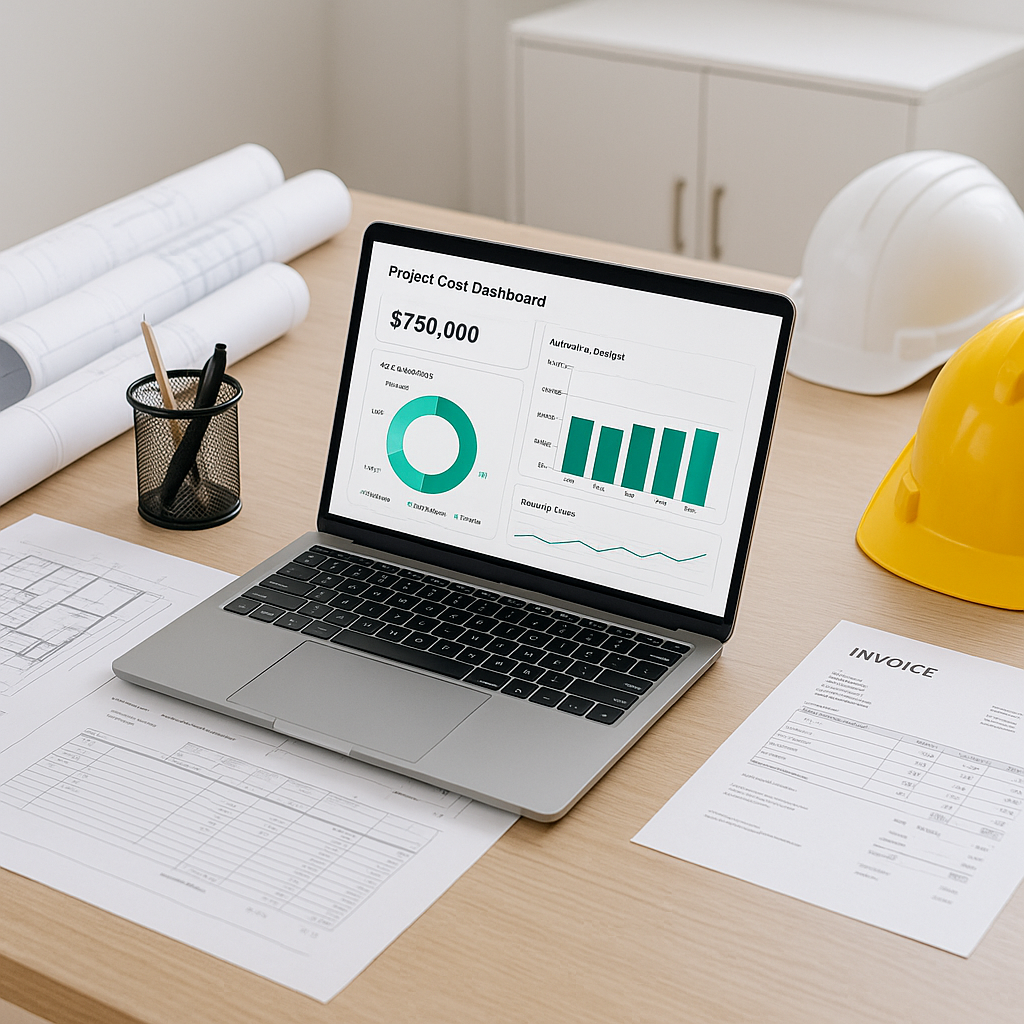
- Monitor in Real-Time: Use dashboards to track procurement costs as they occur.
Without a system like this, it’s easy to see how unauthorized purchases or poor vendor selection can spiral into major margin hits.
Why Small Contractors Need This Now
You might be thinking, "ERPs are for big companies. I can't afford one." That’s a fair concern. Traditional ERP systems are expensive, complex, and overkill for smaller operations. But newer, cloud-based solutions like JobNext are changing the game. They’re affordable, easier to implement, and designed specifically for contractors managing 50–2000 employees.
Why Cloud-Based ERPs Are a Game-Changer
- Lower Upfront Costs: Unlike traditional ERPs that require hefty upfront investments in hardware and software, cloud-based systems operate on a subscription model. This makes them accessible to smaller firms.
- Faster Implementation: Legacy ERP systems can take months (or even years) to implement. Cloud solutions like JobNext can often be set up in weeks.
- Scalability: Start with just the modules you need—like cost tracking or payroll—and add more as your business grows.
- Anywhere Access: Cloud systems allow your team to access project data from any device, whether they’re on-site or in the office.
Key Features Beneficial for Small Contractors
- HR Module: Handles multi-site attendance and payroll seamlessly, eliminating manual calculations.
- Compliance Integration: Links directly with tools like Tally for easier tax compliance.
- BOQ Margin Reports: Weekly reports flag negative-margin items, so you can act before they impact your bottom line.
Common Mistakes Contractors Make
1. Skipping the BOQ Margin Report
Many contractors don’t regularly monitor margin reports. Without these insights, you’re flying blind. Tools like JobNext’s BOQ Margin Report help you catch negative-margin items before they spiral out of control.
Solution: Schedule weekly reviews of margin reports with your team.
2. Ignoring Vendor Qualification
Choosing the wrong vendor can lead to delays, cost overruns, or quality issues. Vetting vendors should be a structured process.
Solution: Use the ERP’s vendor prequalification tools to assess vendors based on past performance, pricing, and reliability.
3. Delaying Subcontractor Reconciliation
Subcontractors often bill for unverified work. Delays in reconciling these bills can lead to overpayments.
Solution: Tie subcontractor payments directly to measurement sheets in the ERP. This ensures you only pay for completed and verified work.
FAQ
Q: I’ve never used an ERP before. Is it hard to implement?
A: Newer ERPs like JobNext are cloud-based and much simpler than legacy systems. Most small contractors can get up and running in weeks, not months. Implementation also includes training and support to help your team adapt quickly.
Q: What if I only need a few modules?
A: You don’t have to use every feature. Start with what you need—like cost tracking or payroll—and expand as you grow. Modular systems are designed to scale with your business.
Q: How much will this cost me?
A: It depends on your team size and the modules you need. However, cloud solutions are subscription-based, so there’s no massive upfront investment. Many systems offer tiered pricing based on the number of users.
Q: Can I integrate an ERP with my existing tools?
A: Most modern ERPs, including JobNext, support integrations with popular tools like Tally, QuickBooks, and Microsoft Excel. This ensures you don’t lose access to legacy data during the transition.
Q: How do I train my team to use an ERP?
A: Most ERP providers offer training sessions, documentation, and ongoing support. Start with a pilot project to familiarize key team members before rolling it out company-wide.
Comparison Table: Spreadsheet vs. ERP for Cost Tracking
| Feature | Spreadsheets | ERP (e.g., JobNext) |
|---|---|---|
| Real-Time Updates | No | Yes |
| Error Prevention | Prone to manual errors | Automated checks |
| Scalability | Limited | Highly scalable |
| Vendor Management | Manual | Centralized database |
| Approval Workflows | Difficult to implement | Built-in workflows |
| Cost Tracking | Time-consuming | Instant, real-time |
Takeaway
If you’re running a small construction company, margin protection is non-negotiable. Disconnected systems and manual processes aren’t just inefficient—they’re actively costing you money. A construction-specific ERP like JobNext gives you real-time control over costs, procurement, and payroll, keeping your margins intact.
Ready to take control of your margins? See how JobNext can help your business →
Learn more at JobNext.ai